
GeoNode Shape Keys is a free Blender add-on that deforms linked and overridden meshes in sculpt mode, enabling small corrections on animated characters without altering the original mesh.
Developed by Mets.
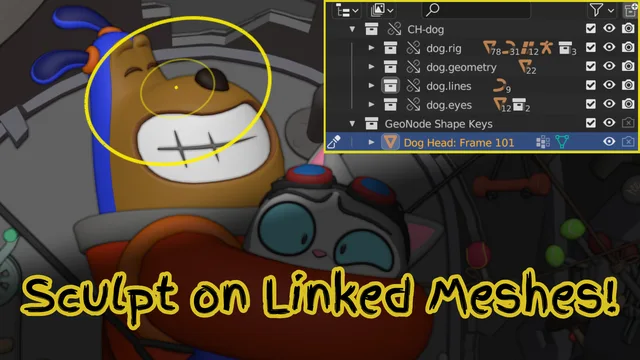
About GeoNode Shape Keys
GeoNode Shape Keys is a Blender add-on from Mets designed for sculpting corrections on linked and overridden meshes. The panel appears only on such meshes under Properties > Object Data > Shape Keys > GeoNode Shape Keys. Adding a shape key prompts for a non‑overlapping UVMap and creates a hidden duplicate of the original mesh for sculpting, with a button to toggle back. Shape keys can be named or default to the current frame number. Selecting multiple objects before adding creates a single sculpt object covering all, and an operator can generate non‑overlapping UVMaps across all assets. Removing a shape key also deletes its modifier and duplicate object. The add‑on is released under GPL v2.0 or later and requests Files permission to load GeoNodes from a .blend file.
Features
- Deforms linked and overridden meshes using sculpt mode
- Interface appears only on linked and overridden meshes, under Properties > Object Data > Shape Keys > GeoNode Shape Keys
- Sculpts on an automatically created duplicate while hiding the original, with a button to switch back
- Prompts for a UVMap with no overlapping areas; shapes can be named or default to the current frame number
- Multi-object sculpting by selecting multiple objects before pressing the add button
- Included operator to create non-overlapping UVMaps across all of an asset’s objects
- Requests Files permission to load its GeoNodes from a .blend file
Best for
Applying small sculpted adjustments to animated characters on linked or overridden meshes in Blender.
Frequently asked questions
Does GeoNode Shape Keys work with Blender 4.2?
Yes. GeoNode Shape Keys is listed as compatible with Blender 4.2 LTS and newer, though a reviewer noted it may be broken on very recent builds, so checking the developer’s page for the latest status is advisable.
Where does GeoNode Shape Keys appear in Blender?
The add‑on’s interface appears only on linked and overridden meshes, located under Properties > Object Data > Shape Keys > GeoNode Shape Keys.
Why does GeoNode Shape Keys require a UV map?
A UVMap is required so the GeoNode setup can align the vertices of the original object with the sculpted duplicate; the map must have no overlapping areas. An included operator can generate non‑overlapping UVMaps for multiple objects.
How do I install GeoNode Shape Keys?
Install by dragging the downloaded file into Blender or using the Install from Disk option. The add‑on requests Files permission to load its GeoNodes from a .blend file.
What license does GeoNode Shape Keys use?
GeoNode Shape Keys is released under the GNU General Public License v2.0 or later and is marked as free.
Related plugins
Explore GeoNode Shape Keys
View download and installation options.