
Shading + is a free Blender add-on that places viewport shading controls, render engine selection, Matcap and Solid shading presets, and HDRI management into a customizable pie menu opened with the Z key.
Developed by 1P2D.
About Shading +
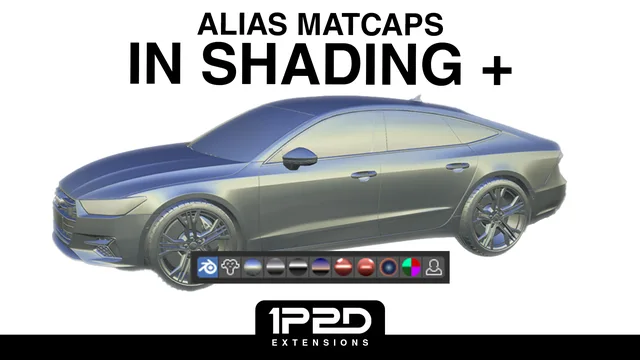
Shading + is a Blender add-on from developer 1P2D that consolidates viewport shading controls into a single pie menu. The menu lets users switch between Workbench, EEVEE, and Cycles render engines, choose Wireframe, Material Preview, or Solid shading modes, and access HDRI presets with a toggle to sync a built-in HDRI to the scene’s World. Alias shaders are available as Matcaps, including Toon-like presets, and Solid shading presets range from the default view to Cell and Alias-based options, renderable with Workbench. Extra toggles control Compositor, Transparency, Normals, Shadows, Subdivision, and Camera Background. The default key to open the menu is Z, but it can be remapped, and individual sections can be enabled or disabled via the add‑on preferences. Version 1.1.4 adds Ctrl‑click render engine switching without altering shading mode, direct World assignment, and clearer icons.
The add‑on requires Blender 4.2 LTS or newer and is released under the GNU General Public License v3.0 or later. It is distributed free of charge and does not require additional permissions.
Features
- Pie menu for switching between Workbench, EEVEE, and Cycles render engines, with Ctrl+click to set the engine without changing shading mode
- Alias shaders brought into Blender as Matcaps, plus Toon-like Matcap presets
- Solid Shading presets including Default, Cell 1/2, and Alias-based options, renderable with Workbench
- HDRI presets that switch between built-in and World HDRIs, with a toggle to sync a built-in preset to the scene’s World
- Extra toggles for Compositor, Transparency, Normals, Wireframe, Shadows, Subdivision, and Camera Background
- Customisable pie menu via preference toggles and a default Z keymap that can be reassigned
Best for
Artists and designers who want fast access to viewport shading modes, render engine selection, Matcap and Solid shading presets, and HDRI handling within Blender.
Frequently asked questions
Does Shading + work with Blender 4.2?
Yes. Shading + is compatible with Blender 4.2 LTS and newer releases.
How do I install the Matcaps in Shading +?
Matcaps are installed from the add‑on preferences: open Preferences, click “Install/Update Matcaps”, then confirm the completion message. New Matcaps can be added later with the “Import Matcaps” button.
What keyboard shortcut opens the Shading + pie menu?
The pie menu opens with the Z key by default; this shortcut can be changed in the add‑on settings or Blender’s keymap editor.
Is Shading + free to use?
Shading + is free to use and is released under the GNU GPL v3.0 or later.
Related plugins
Explore Shading +
View download and installation options.