
Sketch N’ Carve is a free Blender add‑on that lets you draw with Grease Pencil and convert sketches into 3D geometry with a single click, avoiding manual vertex editing.
Developed by Sahin Ersoz.
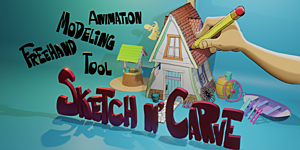
About Sketchn’carve
Sketch N’ Carve is a Blender add‑on created by Sahin Ersoz that utilizes Grease Pencil tools to turn 2D sketches into 3D meshes. Users draw a shape, click once, and the sketch becomes geometry, which can then be modified with Boolean operations, extrude, twist, scale, and other actions. The add‑on includes both a full edition and a lighter CORE edition. Features cover Boolean (Union, Difference, Intersect, Slice), surface tools (draw on surface, project strokes, shrink wrap), modifiers (mirror, spin, array, curve deform with custom profiles), smoothing, knife, self‑trim, poke, subdivision surfaces, crease, and Shape Animation. Separate builds are provided for different Blender releases: versions targeting Blender 4.3 and later, and versions for Blender 4.2 and earlier. The toolset aims at 2D artists and Blender users who prefer sketch‑based modeling over traditional vertex manipulation.
Features
- Sketch to geometry with a single click, converting drawings into 3D meshes
- Boolean operations: Add (Union), Remove (Difference), Intersect and Slice, with destructive or non-destructive workflows
- Modeling actions including Extrude (with Subdivide), Randomize, Twist and Scale, plus Join Strokes, Join Sketchy, Join Shapes and Concentric Shapes drawing styles
- Surface tools: Draw on Surface, Project Strokes to Surface and Shrink Wrap
- Mirror, Spin, Array and Curve Deform modifiers with custom profiles and tapers
- 2D and 3D Smooth to round objects without increasing poly count, plus Subdivision Surfaces and Crease
- Knife Tool, Self Trim, Poke and Shape Animation
Best for
Blender users, especially 2D artists, who want to model by sketching rather than hand‑editing vertices.
Frequently asked questions
Which Blender versions does Sketch N’ Carve support?
Sketch N’ Carve provides separate builds for different Blender releases. The 4.4.2c build works with Blender 4.3 and newer, while the 4.2.1w build targets Blender 4.2 and earlier. The CORE edition follows the same version split.
What’s the difference between Sketch N’ Carve and Sketch N’ Carve CORE?
The CORE edition is a lightweight version that includes basic Boolean modeling, extrude with subdivisions, line tools, and simple modifiers (Array, Mirror, Spin). The full edition adds surface projection tools, custom curve deform, knife, self‑trim, poke, smoothing, and Shape Animation.
Do I need to edit vertices to model with Sketch N’ Carve?
No. Sketch N’ Carve is designed to let you create geometry from Grease Pencil sketches without manually editing vertices. After conversion, you can apply operations like Boolean, extrude, twist, and scale.
Does Sketch N’ Carve support animation?
Yes. The add‑on includes a Shape Animation feature, allowing animated deformation of the generated geometry. Additional simulation tools are offered in a companion add‑on called Sketch N’ Simulate.
Is Sketch N’ Carve free?
The catalog lists Sketch N’ Carve as free, but licensing terms may change. Verify the current pricing and licensing on the developer’s page before downloading.
Related plugins
Explore Sketchn’carve
View download and installation options.