
DragonFF is a free Blender add‑on that imports and exports GTA RenderWare formats, including model (.dff), texture (.txd), collision (.col) and map (.ide/.ipl) files, with support for skinned meshes, multiple UV maps and batch export.
Developed by Parik.
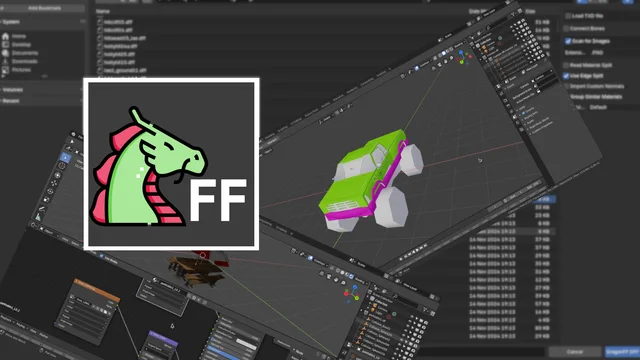
About DragonFF
DragonFF is a Blender add‑on for handling GTA RenderWare files. It imports and exports model files (.dff), texture files (.txd) (export marked partial, experimental), collision files (.col) – including collisions embedded in .dff – and map files (.ide, .ipl) (import partial, experimental). The add‑on supports skinned meshes, multiple UV maps and mass export, and recognizes material effects such as environment mapping, bump mapping, dual textures and UV animation, plus Rockstar‑specific extensions like specular, reflection, breakable, pipeline set, night vertex color and 2D effects. Its Python modules are independent of the Blender API and can be used in other Python environments. DragonFF requires Blender 4.2 LTS or newer and is released under the GNU GPL v3.0 or later.
Features
- Import and export of RenderWare model files (.dff)
- Texture file (.txd) import, with export support (partial, experimental)
- Collision file (.col) import and export, including collisions packed inside .dff files
- Map file (.ide/.ipl) import (partial, experimental) and export
- Skinned mesh support, multiple UV maps and mass export
- Material effects: environment mapping, bump mapping, dual texture mapping and UV animation
- Rockstar extensions: specular and reflection materials, breakable, pipeline set, night vertex color and 2D effects
Best for
GTA modders and Blender artists needing import/export of RenderWare model, texture, collision and map data.
Frequently asked questions
Does DragonFF work with Blender 4.2?
Yes. DragonFF is compatible with Blender 4.2 LTS and newer versions.
How do I install DragonFF in Blender?
Install DragonFF via Blender’s Preferences → Get Extensions tab by searching for “DragonFF” and clicking Install, or download the zip from the project’s GitHub and install it through Preferences → Add‑ons → Install from File.
Can DragonFF export .txd texture files?
Import of .txd texture files is supported; export is marked as partial and experimental as of version 1.1.0.
What license is DragonFF released under?
DragonFF is released under the GNU General Public License version 3.0 or later.
Related plugins
Explore DragonFF
View download and installation options.