
Procedural Tiles is a free Blender add‑on that adds a library of over 100 shader nodes for tile patterns, working like the built‑in Voronoi and brick texture nodes.
Developed by Aisun-Tang.
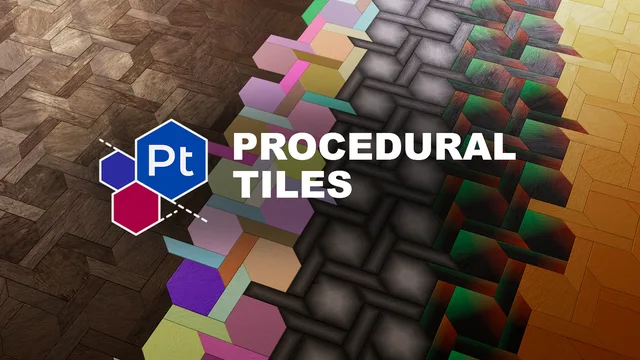
About Procedural Tiles
Procedural Tiles is a Blender add‑on that provides more than 100 shader nodes designed to emulate tile patterns. The nodes appear in the material node editor and behave like Blender’s native Voronoi or brick texture nodes, so existing shader‑node knowledge applies directly. They can be used to create floor or wall patterns, add noise, break up symmetry, or hide hard edges caused by tiling. The library is described as growing, with new tile nodes added over time. It is compatible with Blender 4.2 LTS and newer, requires no special permissions, and is released under the GNU General Public License v3.0 or later. Source code and issue tracking are hosted on the developer’s GitHub page.
Features
- Library of over 100 shader nodes that emulate tile patterns
- Node interfaces designed to be used like Blender’s Voronoi and brick textures
- No new workflow to learn, since existing shader node knowledge transfers directly
- Growing library, with new tiles added over time
- Compatible with Blender 4.2 LTS and newer
- Requires no special permissions and is released under GPL v3.0 or later
Best for
Creating floor and wall tile patterns, adding procedural noise, reducing repetitive tiling artifacts, and hiding hard edges in textures.
Frequently asked questions
Does Procedural Tiles work with Blender 4.2?
Yes. Procedural Tiles is compatible with Blender 4.2 LTS and any later Blender version.
Do I need to learn a new workflow to use Procedural Tiles?
No. The nodes are built to function like Blender’s Voronoi and brick texture nodes, so no new workflow is required.
How do I install Procedural Tiles?
Install it like any other Blender add‑on: download the zip file, then use Blender’s Preferences → Add‑ons → Install, or drag the zip onto the Blender window.
What license is Procedural Tiles released under?
Procedural Tiles is released under the GNU General Public License v3.0 or later.
Related plugins
Explore Procedural Tiles
View download and installation options.