
Set Smooth Group is a free Blender add‑on that applies smooth shading to selected faces, marks their boundary edges as sharp, restores the original selection, and offers a panel with toggles for hard edge groups, triang‑to‑quad conversion, and custom normal application.
Developed by VIktor-Kom.
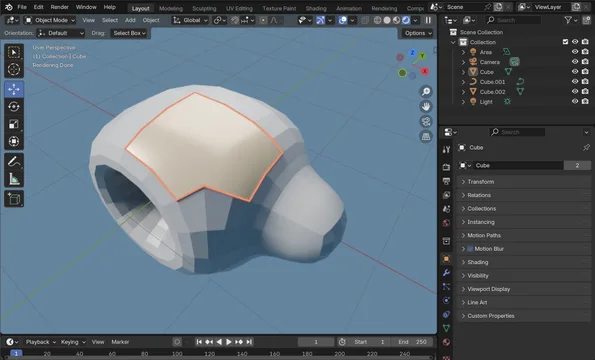
About Set Smooth Group
Set Smooth Group streamlines a common modeling workflow in Blender by applying smooth shading to selected faces while converting their boundary edges to sharp. After execution, the original face selection is restored, allowing continued editing. The add‑on appears under Mesh > Normals and can be invoked with Alt+G (Option+G on macOS). Version 1.1.0 introduces an adjust‑last‑operation panel containing three independent toggles: Set Hard Edge Group (default enabled) defines the smooth group method, Convert Tris to Quads changes triangles to quads post‑operation, and Set From Faces applies custom normals from the selected faces. Settings persist between calls. The tool is compatible with Blender 4.2 LTS and newer and is released under the GNU GPL v3.0 or later.
Features
- Applies smooth shading to selected faces and marks boundary edges as sharp
- Restores the original face selection after the operation runs
- Integrates under Mesh > Normals with an Alt+G hotkey (Option+G on Mac)
- Adjust-last-operation panel with a Set Hard Edge Group toggle, enabled by default
- Convert Tris to Quads toggle turns triangles into quads after the operation
- Set From Faces toggle applies custom normals from the selected faces
- Toggles work independently or together, with settings preserved between calls
Best for
Blender modelers who need a quick 3Ds Max‑style smooth‑and‑sharp workflow for selected faces.
Frequently asked questions
Does Set Smooth Group work with Blender 4.2?
Yes. Set Smooth Group is built for Blender 4.2 LTS and newer, so it runs on Blender 4.2 and subsequent LTS releases.
What hotkey does Set Smooth Group use?
The add‑on assigns Alt+G as its hotkey, or Option+G on macOS, for quick access from Edit Mode.
What does the Set Smooth Group 1.1.0 adjust-last-operation panel do?
The adjust‑last‑operation panel added in version 1.1.0 provides three toggles: Set Hard Edge Group (default on) for basic smooth group handling, Convert Tris to Quads to change triangles into quads after the operation, and Set From Faces to apply custom normals from the selected faces; each toggle works independently or together and settings persist between uses.
Is Set Smooth Group free, and what license does it use?
Set Smooth Group is listed as free and is distributed under the GNU General Public License v3.0 or later.
Related plugins
Explore Set Smooth Group
View download and installation options.