
Simple Sketch Pro is a free Blender add‑on that creates line‑art illustrations and animation, offering one‑button access to six preset styles and adjustable line controls for technical, cartoon, and architectural sketches.
Developed by Chipp Walters.
About Simple Sketch Pro
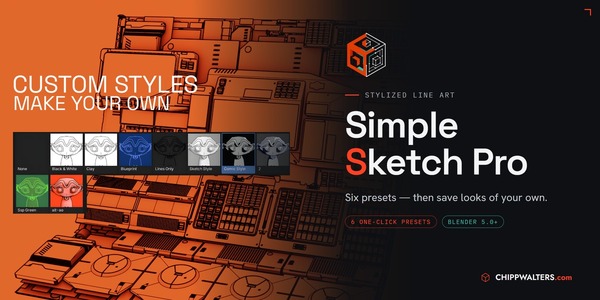
Simple Sketch Pro is a Blender add‑on that simplifies creating line‑art illustrations and animation. Developed by Chipp Walters and the team behind KIT OPS, it targets technical illustrators, cartoon or graphic novel artists, and those producing industrial and architectural sketches. The interface provides one‑button access to six professionally designed presets—Black and White, Ambient Occlusion: Clay, Blueprint, Sketch Style, Transparent, and Comic—while allowing work from an existing scene. Users can switch between presets and their own scene, adjust line weights and colors, and enable a Screen Space option that keeps line thickness consistent across perspectives. Material and line‑art settings can be overridden per object. Documentation and a demo video are included.
Features
- Six professionally designed presets: Black and White, Ambient Occlusion: Clay, Blueprint, Sketch Style, Transparent, and Comic
- One-button preset access through the interface, or use your existing scene
- Switch between your existing scene and a preset
- Adjustable line weights and colors
- Screen Space option, so lines maintain even thickness no matter the perspective
- Override material and line art settings for any object in the scene
- Included documentation
Best for
Technical illustrators, cartoon or graphic novel artists, and creators of industrial and architectural design sketches.
Frequently asked questions
Does Simple Sketch Pro work with Blender 5.0?
Yes. Simple Sketch Pro is compatible with Blender 5.0, as well as Blender 4.3.2. The add‑on also includes a fix for a line‑width issue affecting Blender 4.5.2 and later.
What did the Simple Sketch Pro v1.1.4 update change?
Version 1.1.4 fixes a line‑width issue that occurred in Blender 4.5.2 and newer builds. The change does not affect earlier Blender versions.
Is Simple Sketch Pro free to use?
The add‑on is listed as free, but users should verify current licensing terms on the developer’s page before downloading.
What presets does Simple Sketch Pro include?
The add‑on includes six presets: Black and White, Ambient Occlusion: Clay, Blueprint, Sketch Style, Transparent, and Comic.
Can I use Simple Sketch Pro with an existing scene?
Yes. Simple Sketch Pro can be applied to an existing scene, and you can switch between your scene and any preset while adjusting line weights, colors, and material settings.
Related plugins
Explore Simple Sketch Pro
View download and installation options.