
irrealix Stretch is a free After Effects plug‑in that stretches pixels along curved paths defined by two mask shapes. It offers Along and Across mask modes, Stretch Ramp, noise and strip controls, opacity ramp, mesh preview, and a one‑click loop animation option.
Developed by irrealix.
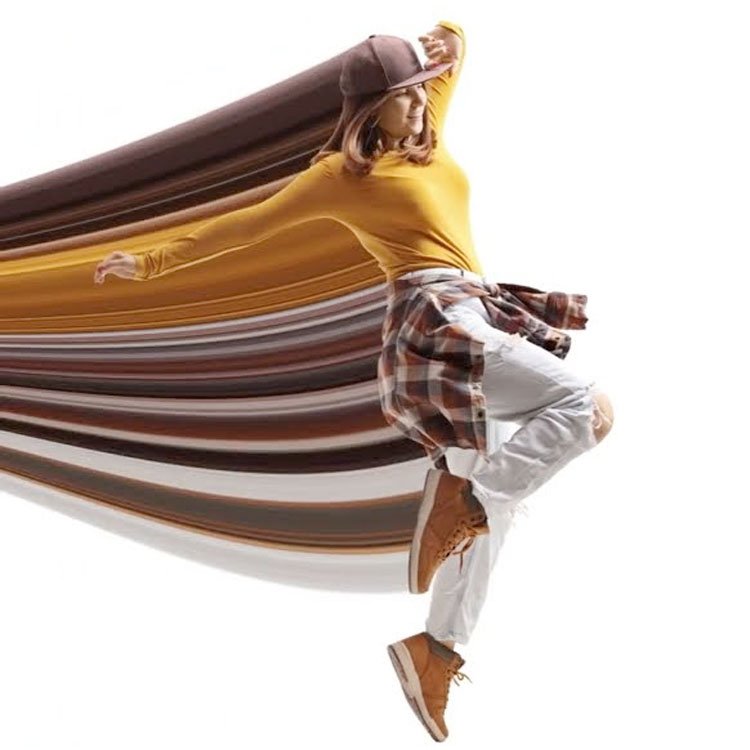
About Stretch
irrealix Stretch is an After Effects plug‑in that stretches image pixels along curved paths built from two mask shapes. Users can choose between two stretch modes—Along or Across Masks—and refine the effect with a Stretch Ramp for precise control. Additional parameters include Noise and a secondary Ramp for distortion, a Strips Random Factor for added detail, and an Opacity Ramp to adjust transparency along and across the stretch. The plug‑in provides a Mesh Wireframe Preview and allows adjustment of the Base Mesh Points count to improve mesh quality. A single‑click animate‑with‑loop option adds seamless flow animation, and a Noise Offset control can animate distortion over time. Stretch supports After Effects versions from 2025 back to CC 2014 and was last updated on January 29, 2025.
Features
- Two stretch modes: Along or Across Masks
- Stretch Ramp for precise control over pixel stretching
- Distortion using Noise and Ramp, animated with Noise Offset
- Strips Random Factor to add more detail
- Single-click seamless loop animation for stretched pixels
- Opacity Ramp to control transparency along and across stretches
- Mesh Wireframe Preview with adjustable Base Mesh Points count
Best for
Stretching images and pixels along curved paths built from two mask shapes in After Effects.
Frequently asked questions
What After Effects versions does Stretch support?
Stretch supports After Effects 2025, 2024, 2023, 2022, 2021, 2020, and the CC releases back to CC 2014 and CC.
Is Stretch free to use?
The catalog lists Stretch as free, but users should verify current licensing terms on the irrealix website before use.
Can Stretch create looping animations?
Yes. Stretch includes an animate‑with‑loop option that adds seamless flow animation with a single click, and distortion can also be animated via the Noise Offset control.
How does Stretch shape and distort the stretched pixels?
Stretch uses two mask shapes to define the path and stretches pixels either along or across them. A Stretch Ramp controls the stretch amount, while Noise, a secondary Ramp, and a Strips Random Factor add distortion and detail. Opacity Ramp adjusts transparency, and the Mesh Wireframe Preview shows the underlying mesh.
Related plugins
Explore Stretch
View download and installation options.