
Blender Render Queue (BRQ) is a free, standalone desktop application that automates batch rendering for Blender. It lets you queue shots, choose specific scenes, cameras and view layers, view live previews, receive notifications and shut down the machine when rendering is complete.
Download Blender Render Queue ↗
Developed by stephane claudon.
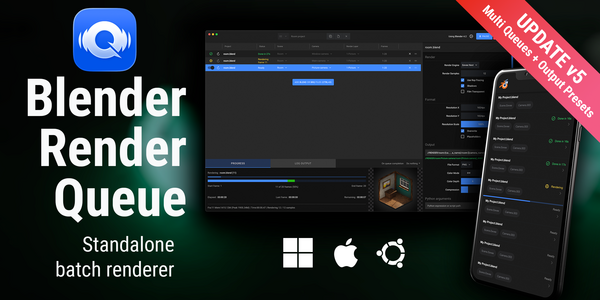
About Blender Render Queue
Blender Render Queue (BRQ) is a free, standalone desktop app developed by Stéphane Claudon that automates batch rendering for Blender. Users can queue multiple shots, select exact scenes, cameras and view layers, and apply saved output presets that store engine, sample count and format settings. While rendering, BRQ shows a full‑resolution live preview of the current frame and provides an estimate of remaining time. A built‑in remote‑monitoring web interface allows tracking progress from other devices, and desktop or mobile notifications alert when jobs finish. Custom Python scripts can be executed before or after renders, and the app can automatically shut down or put the PC to sleep after the queue ends. BRQ runs on Windows, macOS and Linux and supports Blender‑Internal, Cycles, Eevee, Freestyle and Octane, matching Blender’s UI conventions. It is distributed under the MIT license.
Features
- Scene selection to choose exactly which scenes go into a render batch
- Camera and view layer selection for multi-shot workflows
- Output presets that save engine, samples, and format for reuse
- Full-resolution live preview of the rendered frame plus a remaining-time estimate
- Remote monitoring web app with desktop and mobile notifications when renders finish
- Custom Python scripts that run before or after renders
- Auto shutdown or sleep after the queue completes, plus multiple queues for separate projects
Best for
Blender artists who need to automate batch renders across multiple scenes, cameras, or view layers, and who want unattended rendering with remote monitoring and automatic power‑down.
Frequently asked questions
Which Blender versions does Blender Render Queue support?
Blender Render Queue supports Blender versions 3.0 through 5.1 and operates as a standalone app rather than a Blender add‑on.
Does Blender Render Queue run on macOS and Linux?
Yes, the application runs on Windows, macOS and Linux, offering the same queuing and automation features on each platform.
Which render engines does Blender Render Queue work with?
The program works with Blender‑Internal, Cycles, Eevee, Freestyle and Octane render engines, and lets you save engine‑specific output presets.
Is Blender Render Queue free?
Blender Render Queue is listed as free in the catalog and is distributed under the MIT license; any purchase or licensing details are defined by the developer.
Related plugins
Explore Blender Render Queue
View download and installation options.