
Noisy-Cutter is a free Blender addon by Picto Filmo that slices geometry along a hand‑drawn spline, producing a bumpy, noisy edge with automatically unwrapped UVs. It works via boolean operations on manifold meshes and includes texture‑driven displacement and automatic cut material.
Developed by Picto Filmo.
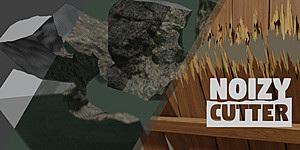
About Noisy-Cutter
Noisy-Cutter is a GPL‑licensed Blender addon created by Picto Filmo for production use. The tool cuts and slices geometry following a hand‑drawn spline, generating a displaced, noisy edge instead of a flat cut and automatically unwrapping the UVs. It supports a three‑step workflow: draw the spline, adjust mesh density, and select a displacement method (noise or supplied textures). The addon can process multiple meshes at once, applies an automatic cut material, and includes documentation with a wood‑break tutorial. Because it relies on a boolean operation, the target object must be manifold (a closed volume). Specific builds of Noisy-Cutter correspond to particular Blender versions, with version 1.9 matching Blender 5.x. The addon is listed as free in the catalog.
Features
- Noise-based displaced cut for irregular, non-flat edges
- Texture-based displaced cut, with a set of textures included
- Automatic cut material applied to the result
- Three-step workflow: draw, then adjust mesh density and displacement type
- Cut several meshes at once
- Documentation covering use, including a wood break tutorial
Best for
Creating natural, irregular cuts on wood, stone, concrete, or similar materials; environment design; and destruction simulation where bumpy, UV‑unwrapped edges are desired.
Frequently asked questions
Does Noisy-Cutter support Blender 5.x?
Noisy-Cutter version 1.9 is built for Blender 5.x; earlier builds correspond to Blender 4.2, 4.1, 4.0, and earlier releases. Install the build that matches your Blender version.
What objects can Noisy-Cutter cut?
The addon can cut any manifold (closed‑volume) object. It is aimed at natural‑looking cuts on materials such as wood, stone, and concrete, and can process several meshes simultaneously.
How do I make a cut with Noisy-Cutter?
Create a cut by: (1) drawing a hand‑drawn spline, (2) adjusting mesh density settings, and (3) choosing a displacement type (noise or one of the included textures). The addon then applies an automatic cut material and generates the bumpy, UV‑unwrapped result.
Is Noisy-Cutter free?
The catalog lists Noisy-Cutter as free and it is released under the GPL license. Availability and licensing terms may change, so verify the current terms on the developer’s page before downloading.
Related plugins
Explore Noisy-Cutter
View download and installation options.