
Import Mixamo – Root Motion is a free Blender add-on that batch imports Mixamo FBX files, creates a root bone to capture character displacement, and bakes root motion keyframes using several calculation methods.
Download Import Mixamo – Root Motion ↗
Developed by DevilMayCry.
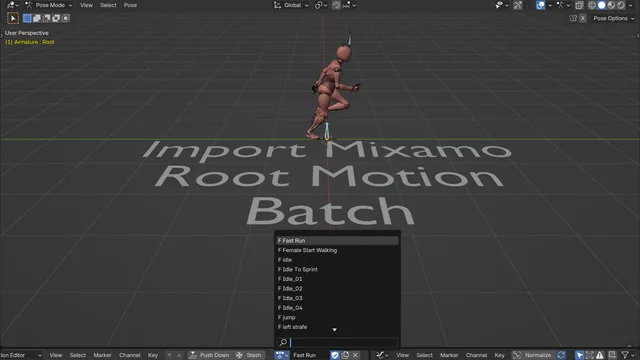
About Import Mixamo – Root Motion
Import Mixamo – Root Motion is a Blender add-on for batch importing FBX animation files downloaded from Mixamo and applying root motion. Users can select multiple FBX files via File > Import > Mixamo Fbx and adjust options in a side panel before import. The add-on removes the “mixamorig:” prefix, renames animations by file name, applies transformations, fixes animation strength, and deletes redundant skeletons matching the “Armature.00*” pattern. It creates a root bone that records root motion and bakes the character’s displacement onto it, offering multiple calculation methods. Additional features include optional replacement of “Left/Right” with “.L/.R” suffixes and a panel for custom bone names. Version 1.0.4 adds a Rotation option that adds a Copy Rotation constraint so the root bone copies the hips bone’s Z‑axis rotation in world space while disabling the hips bone’s inherit rotation. The add-on is compatible with Blender 4.2 LTS and is released under the GNU GPL v3.0 or later.
Features
- Multiple-selection FBX import from disk via File > Import > Mixamo Fbx
- Batch removal of the “mixamorig:” prefix from bone names
- Batch renaming of animations by file name
- Batch transformation apply with animation strength fixing
- Batch removal of redundant skeletons and objects matching “Armature.00*”
- Root bone creation that records Root Motion and bakes displacement keyframes, with several calculation methods
- Option to replace “Left/Right” with “.L/.R” suffixes plus a panel for custom bone names
Best for
Blender users who need to batch‑import Mixamo FBX animations and bake character displacement onto a root bone.
Frequently asked questions
Does Import Mixamo – Root Motion work with Blender 4.2?
Yes. Import Mixamo – Root Motion is compatible with Blender 4.2 LTS. The developer marks Blender 5.1 and later as unsupported, so users should run Blender 4.2.0 or newer within that range.
How do I install Import Mixamo – Root Motion?
The add-on can be installed by dragging the downloaded file into Blender, by using Preferences > Add‑ons > Install, or by installing it from the official Blender extensions library via Preferences > Get Extensions and searching for its name.
How do I import Mixamo FBX files with Import Mixamo – Root Motion?
After installation, choose File > Import > Mixamo Fbx, select one or more FBX files, configure the side‑panel options (such as prefix removal, animation renaming, and root bone creation), and start the import. The add‑on will process the files according to the selected options.
What does the Rotation option added in version 1.0.4 do?
The Rotation option introduced in version 1.0.4 adds a Copy Rotation constraint that makes the root bone copy the hips bone’s Z‑axis rotation in world space and disables the hips bone’s inherit rotation, helping preserve correct hip orientation during root motion baking.
Is Import Mixamo – Root Motion free?
Yes. The add‑on is listed as free and is released under the GNU General Public License v3.0 or later. Its source code is publicly available on the developer’s GitHub repository.
Related plugins
Explore Import Mixamo – Root Motion
View download and installation options.