
Auto Reload is a free Blender add‑on that watches external images, movie clips, libraries, sound and cache files, and automatically reloads them inside Blender when they change on disk, using a configurable timer.
Developed by tonton_.
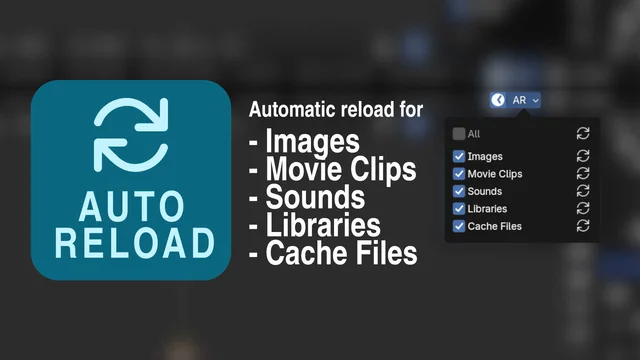
About Auto Reload
Auto Reload keeps external assets in sync while you work in Blender. It monitors images, movie clips, libraries, sound files and cache files for changes made outside the program and reloads them automatically in the current blend file. A timer runs at a user‑defined interval (every n seconds) to check for modifications. The control UI appears on the right side of the topbar, where a stopwatch button toggles the timer and a popover lets you select which file types are reloaded. Version 3.1.2 adds a safeguard that prevents GENERATED images with a filepath from being reloaded, correcting an issue with baked ucupaint maps. The add‑on is compatible with Blender 4.2 LTS and newer and is distributed under the GNU General Public License v3.0 or later.
Features
- Automatic reload of modified external files: images, movie clips, libraries, sound, and cache files
- Timer that checks for modified external files every n seconds and reloads them inside Blender
- Menu on the right side of the topbar with a stopwatch button to activate or deactivate the timer
- Popover to select which file types get reloaded
- Version 3.1.2 prevents reloading images of type GENERATED with a filepath, fixing baked ucupaint maps
- Compatible with Blender 4.2 LTS and newer
Best for
Blender users who need external assets such as textures, video clips, libraries, sound or cache files to update automatically during a session.
Frequently asked questions
Does Auto Reload work with Blender 4.2?
Yes. Auto Reload is reported as compatible with Blender 4.2 LTS and newer releases.
What file types can Auto Reload refresh in Blender?
It can refresh images, movie clips, libraries, sound files and cache files when those files are modified on disk.
How do I turn the auto-reload timer on or off?
Use the stopwatch button in the add‑on’s top‑bar menu to activate or deactivate the timer; the same menu includes a popover to choose which file types are monitored.
Is Auto Reload free and what license does it use?
The add‑on is listed as free and is released under the GNU General Public License v3.0 or later.
What changed in Auto Reload version 3.1.2?
Version 3.1.2 adds a check that skips reloading images of type GENERATED that have a filepath, fixing issues with baked ucupaint maps.
Related plugins
Explore Auto Reload
View download and installation options.