
Physical Weather FX is a free Blender addon that adds rain, snow, fog, and wind to scenes. Select objects and press one button to generate a connected weather system with presets, shaders, and procedural sky elements.
Download 🔖Physical Weather Fx ↗
Developed by Lazy3D.
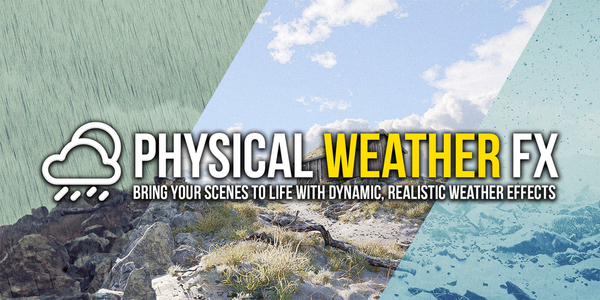
About 🔖Physical Weather Fx
Physical Weather FX introduces dynamic weather effects to Blender, offering rain, snow, fog, and wind with a single-button setup. Users select scene objects, activate the addon, and receive a ready‑to‑use weather system that includes customizable presets for sunny, stormy, or snowy conditions. Interconnected settings ensure that changes to precipitation, temperature, or wind automatically adjust material wetness, shader types, sky appearance, and ripple effects. The addon features real‑time splash simulation on colliders, procedural sky and lighting with cloud layers, volumetric clouds, lightning bolts, and noise‑driven mist. Only one Weather FX system can operate per project; performance is optimal when low‑poly collider proxies are used, especially in scenes with high polygon counts. Compatible with Blender 4.2 and newer, it has been tested on early 4.4 Beta and 4.5 Alpha builds.
Features
- Realistic Weather FX shaders apply custom shaders to objects, transforming them in real time based on weather conditions
- Procedural sky and lighting with customizable cloud layers, wind-driven motion, and global illumination
- One-button scene setup: select your objects and the weather system is ready
- Realtime splash simulation where rain hits colliders, including animated objects
- Wind affects clouds, precipitation, and ripple direction in puddles
- Interconnected settings, so increasing precipitation wets materials and a negative temperature switches rain to snow with snowy and icy shaders
- Procedural rain and snow simulators with collision, wind, and splashes, plus volumetric clouds, lightning bolts, and procedural mist
Best for
Blender artists creating atmospheric outdoor renders or animations that require realistic rain, snow, fog, wind, and sky effects.
Frequently asked questions
Does Physical Weather FX work with Blender 4.2?
Yes. Physical Weather FX is compatible with Blender 4.2 and newer, and has been tested on early 4.4 Beta and 4.5 Alpha builds, though pre‑release behavior may vary.
Can I run more than one Physical Weather FX system in a project?
No. Only one Weather FX system can run per project. For multiple scenes, create separate projects or add the addon individually per scene.
Why does Physical Weather FX slow down in large scenes?
Performance drops occur in scenes with many high‑poly objects; testing showed slowdowns with around 130 objects (~4 million polygons). Using low‑poly collider proxies and reducing scene complexity helps maintain responsiveness.
How do I set up weather with Physical Weather FX?
Select the desired objects, press the addon’s setup button, and the weather system is created. Then apply presets or adjust parameters such as particle size, gravity, and temperature, which automatically update materials, shaders, and the sky.
Is Physical Weather FX free?
The catalog lists Physical Weather FX as free, but licensing terms may change. Check the developer’s page for the current price and any usage conditions before downloading.
Related plugins
Explore 🔖Physical Weather Fx
View download and installation options.