
Pie Menu Editor is a free Blender add-on by roaoao that lets users create pie menus, regular menus, popup dialogs, side panels and toolbars without writing code. It supports Blender versions from 2.79 through 4.3.
Developed by roaoao.
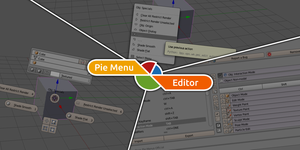
About Pie Menu Editor
Pie Menu Editor is a free GPL‑licensed add‑on for Blender that provides a visual interface for building custom UI elements such as pie menus, regular menus, popup dialogs, side panels and toolbars. The package includes separate editors for each element type, as well as tools for hiding, extending and floating panels. It supports Blender 2.79 and later, covering the 2.8, 2.9x, 3.0–3.6, and 4.0–4.3 series. Users can create pie menus with eight or more buttons, assign custom icons, and use features like Sticky Keys and Stack Keys. Documentation, a change log, FAQ and a demo video are available from the developer.
Features
- Pie Menu Editor for creating pie menus, including pie menus with 8 or more buttons
- Regular Menu Editor and Pop-up Dialog Editor
- Macro Operator Editor and Modal Operator Editor
- Property Editor, Side Panel Editor and Toolbar Editor
- Hiding, extending and floating panels
- Sticky Keys, Stack Keys and custom icons
Best for
Blender users who want to build custom pie menus, menus, popup dialogs, side panels and toolbars without writing code.
Frequently asked questions
Which Blender versions does Pie Menu Editor support?
Pie Menu Editor lists support for Blender versions from 2.79 up through 4.3, including the 2.8, 2.9x, 3.0–3.6, and 4.0–4.3 series.
How do I install Pie Menu Editor in Blender?
Install the add‑on by opening Blender, going to Preferences → Add‑ons, clicking “Install Add‑on from File,” selecting the downloaded ZIP, and then enabling it in the Add‑ons list.
How do I update Pie Menu Editor without losing my menus?
To update without losing menus, optionally export your existing menus using the Export button, reinstall the newer add‑on file via the same Install process, and restart Blender; the exported file can be re‑imported if needed.
Is Pie Menu Editor free, and what license does it use?
The add‑on is listed as free and is distributed under the GPL license; verify current pricing and license details on the developer’s page before download.
Related plugins
Explore Pie Menu Editor
View download and installation options.