
Time Bend by Satori is a free plugin for After Effects and Premiere Pro that replaces the Time Displacement effect, adding versatile frame‑sequence control, editable transitions, loop support, and curve‑based time mapping.
Developed by Satori.
About Time Bend
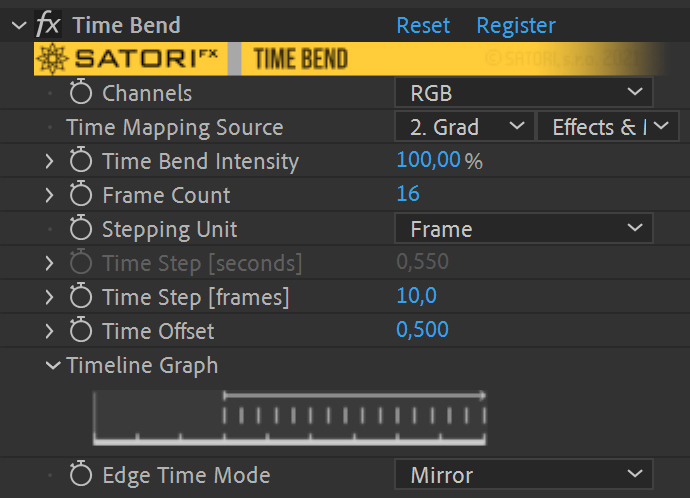
Time Bend by Satori is a free plugin for After Effects and Premiere Pro intended as a replacement for the native Time Displacement effect. It provides more flexible control over frame sequences, editable transitions, loop support, and time‑mapping animation via curve phase. The plugin offers three channel modes (Luma, RGB, and single‑component selection) and five blending modes (Addition, Subtract, Multiply, Divide, Clamp). Users can choose from several curve shapes—including Linear Ramp, Triangle, and various Sine phases—to define mapping behavior, with Curve Phase, Curve Floor, and a visual Curve Graph for fine‑tuning. Destination Blend Size and Offset adjust how transition distance influences the curve. Compatibility spans After Effects CC 2014 through 2026 and Premiere Pro CC 2014 through 2025. The current 1.0.1 release adds a Sample Projects Pack and stability fixes. The developer recommends testing the free trial before full use.
Features
- Channel modes: Luma applies the effect using a pixel’s overall luminance, RGB processes each component separately, and Red, Green, Blue, or Alpha target a single component
- Five blending modes — Addition, Subtract, Multiply, Divide, and Clamp — for combining source and destination pixel values
- Curve shape options including Linear Ramp, Triangle, Sine ½ Phase, Sine ¼ Phase, and Sine Full Phase
- Curve controls: Curve Phase offsets the curve by degrees, Curve Floor sets the mapping minimum, and Curve Graph visualizes the mapping
- Destination Blend Size and Destination Blend Offset control how transition distance and offset apply to curve progress
- Loops support and time mapping animated via curve phase
- Sample Projects Pack included
Best for
Artists creating time‑displacement and frame‑sequence effects in After Effects or Premiere Pro who need editable transitions and curve‑based control.
Frequently asked questions
Does Time Bend work with After Effects 2026 and Premiere Pro 2025?
Yes. Time Bend lists compatibility with After Effects versions from CC 2014 through 2026, including 2026, and with Premiere Pro versions from CC 2014 through 2025, covering the specified applications.
Is Time Bend free to use?
The catalog marks Time Bend as free, and a free trial is also offered. Licensing terms may change, so reviewers should verify current terms on the developer’s page.
What blending modes does Time Bend offer?
Time Bend provides five blending modes: Addition, Subtract, Multiply, Divide, and Clamp, each affecting how source and destination pixel values are combined.
What changed in Time Bend version 1.0.1?
Version 1.0.1 (released August 3 2023) adds stability fixes, including a crash fix for compositions taller than 4096 px and a watermark bug, and updates the plugin to aescripts framework v4.0.7.
Related plugins
Explore Time Bend
View download and installation options.