
Curve Fitting is a free Blender add-on that smooths uneven vertex arrangements by moving selected vertices onto a polynomial curve or surface while preserving the original shape.
Developed by zuda77.
About Curve Fitting
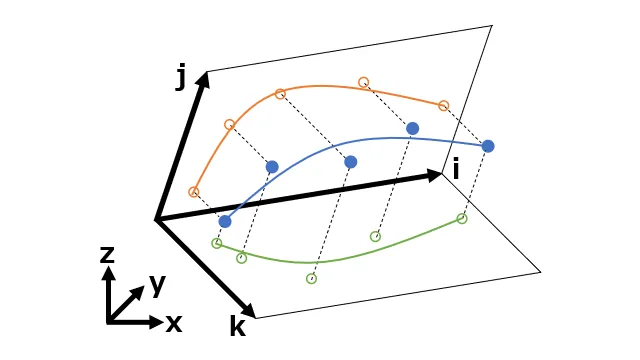
Curve Fitting is a Blender add-on that smooths uneven vertex arrangements while keeping the original shape intact. When a set of connected vertices is selected, the add-on projects them onto a polynomial curve or surface calculated from the selection, automatically choosing between curve and surface. The Curve Degree parameter controls the polynomial degree up to 1000; higher values fit more complex geometry but reduce simplicity. Ends Weight (default 10) and Border Weight (default 1) influence how strongly start/end points or surface boundaries resist movement. The tool is accessed from the right‑click context menu or the Vertex header menu. Because the algorithm operates only in Cartesian coordinates, shapes that overlap when projected—such as circles or spirals—may not process correctly. Version 0.3.0 introduced surface fitting capability.
Features
- Moves selected vertices onto a curve or surface approximated by a polynomial, with the choice between curve and surface determined automatically from the selection
- Curve Degree sets the polynomial degree, up to a maximum of 1000; higher degrees fit more complex shapes at the cost of simplicity
- Ends Weight adjusts how hard the start and end points of a selected vertex sequence are to move on curves, defaulting to 10 with a minimum of 1
- Border Weight adjusts the immovability of boundary points for surfaces, defaulting to 1 with a minimum of 1
- Runs from the right-click context menu or the Vertex header menu after selecting connected vertices
- Version 0.3.0 added surface fitting
Best for
Blender modelers who need to clean up uneven vertex spacing without altering the overall shape of their mesh.
Frequently asked questions
Does Curve Fitting work with Blender 4.2?
Yes. Curve Fitting lists compatibility with Blender 4.2 LTS and newer. Users have reported a warning during installation on versions older than 4.2, but the add‑on still functions.
How do I install Curve Fitting in Blender?
Install the add‑on by downloading the curve_fitting.zip release, then in Blender open Edit → Preferences → Add‑ons, click Install, select the zip file, and enable Curve Fitting. It will then appear in the vertex context and header menus.
Is Curve Fitting free to use?
The add‑on is free and released under the GNU GPL v3.0 or later. No purchase is required, and it imposes no additional permissions.
Why does Curve Fitting fail on circles or spirals?
The algorithm works only with Cartesian coordinates, so shapes that self‑overlap when flattened—like circles or spirals—cannot be processed correctly because the fitting assumes a single mapping for each point.
How do I run Curve Fitting on a mesh?
Select a connected group of vertices, right‑click to open the context menu (or use the Vertex header menu), choose Curve Fitting, and adjust the Curve Degree in the properties panel to obtain the desired result.
Related plugins
Explore Curve Fitting
View download and installation options.