
Slide Edge is a free Blender add‑on that duplicates and slides selected edges inward or outward, also moving nearby pole edges. It works in edit mode, supports boundary edges, and handles multiple selections at once.
Developed by KushiroCG.
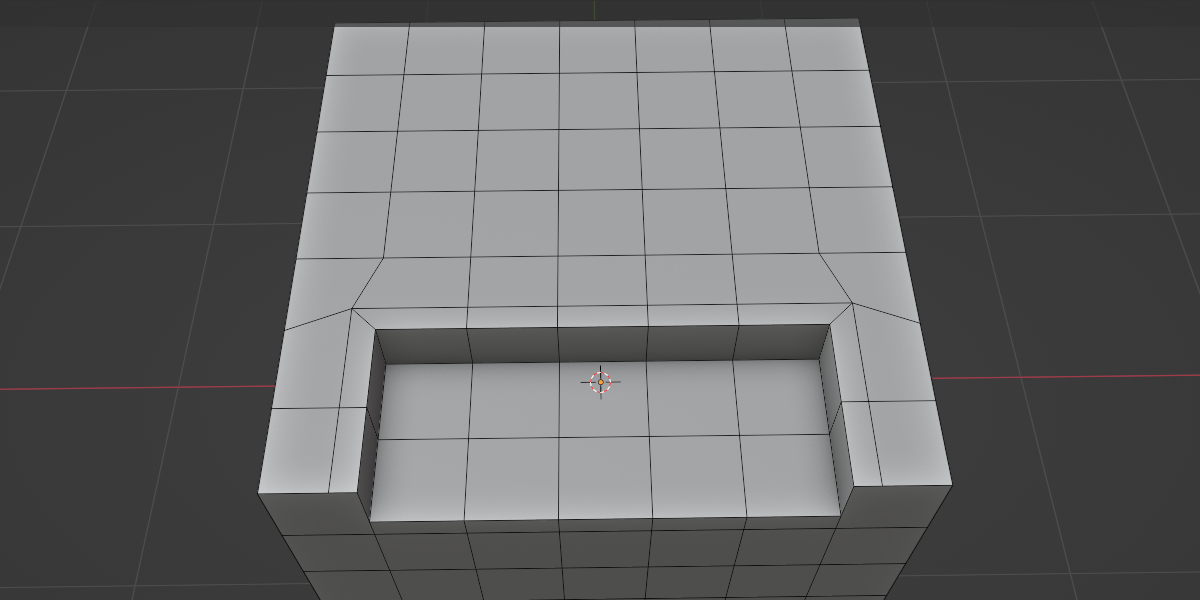
About Slide Edge
Slide Edge is a GPL‑licensed add‑on for Blender (versions 2.83 through 5.1) that duplicates and slides chosen edges in edit mode. When an edge is slid, adjacent edges of connected poles move together, allowing both interior and boundary edges to be adjusted. Users can select edges from multiple locations and slide them simultaneously. The tool is accessed via the right‑click context menu in the 3D viewport; moving the mouse horizontally changes the slide distance, while holding Shift provides finer control. Settings are available in the lower‑left menu, and an option lets users keep or hide the original edges after the operation. It is intended for retopology and general modeling tasks.
Features
- Duplicates and slides selected edges inward or outward
- Nearby edges of connected poles slide along too
- Slides boundary edges, and edges selected from multiple locations at once
- Mouse-driven sliding: move the cursor horizontally to slide, hold Shift for slow adjustment
- Sliding can run across the screen
- Option to select the original edges and the result edges
- Accessible from the right-click context menu in the 3D viewport
Best for
Retopology work and general modeling in Blender’s edit mode.
Frequently asked questions
Does Slide Edge work with Blender 5.1?
Yes. Slide Edge lists compatibility with Blender versions 2.83 up to 5.1, so it works with Blender 5.1.
How do I use Slide Edge in the Blender viewport?
Enter edit mode, switch to edge select, choose your edges, right‑click in the 3D viewport and pick Slide Edge from the context menu. Move the mouse left or right to set the slide amount, hold Shift for slower movement, and left‑click to confirm. Settings can be adjusted in the lower‑left menu.
Can Slide Edge slide boundary edges?
Slide Edge can slide boundary edges as well as interior edges, and it supports sliding edges selected from multiple locations at once.
What license is Slide Edge released under?
Slide Edge is released under the GNU General Public License (GPL) and is distributed as a Blender add‑on.
Is Slide Edge free?
The catalog lists Slide Edge as free. Licensing terms may change, so checking the developer’s page for the latest information is recommended.
Related plugins
Explore Slide Edge
View download and installation options.