
Font Selector is a free Blender add‑on that lets you browse installed fonts and preview them on active 3D text objects or video text strips in real time, without importing each font via the file browser.
Developed by tonton_.
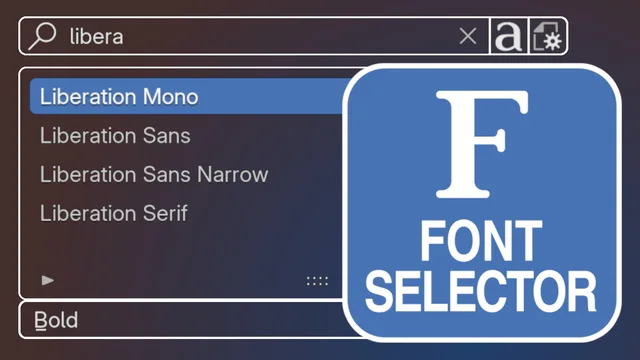
About Font Selector
Font Selector adds font management to Blender by automatically detecting system font folders and caching the list for quick access. You can scroll through fonts directly in the 3D view or the sequencer, seeing the active text object update instantly. Fonts are grouped into families with Regular, Bold, Condensed types, and a favorites system lets you flag preferred fonts. A Reveal File operator opens the font file in the OS explorer, and the panel can appear in the properties editor, as a pop‑over, or as a pop‑up. The add‑on supports both 3D text objects and video text strips, updates the cache when fonts are added or removed, and includes a Load Font Family operator to assign a family’s four Blender font slots in one click. It is licensed under the GNU GPL v3.0 or later and requires Blender 5.0 or newer.
Features
- Automatic detection of font folders based on the host operating system
- Support for both 3D text objects and video text strips
- Dynamic font browsing with direct visualization on the active text object, without leaving the 3D view or sequencer
- Font list stored in external cache files, with automatic checks for new or removed fonts on startup
- Favorites system for marking fonts and filtering to them
- Fonts organized into families with selectable types such as Regular, Bold and Condensed
- Load Font Family operator to set up a family’s Blender font types in one click
Best for
Blender users who need to manage large font collections and want live preview and quick application of fonts to 3D text objects or video text strips without manual importing.
Frequently asked questions
Does Font Selector work with Blender 5.0?
Yes. Font Selector is compatible with Blender 5.0 and newer.
How does Font Selector handle bold and italic on a single text object?
The add‑on applies fonts to the regular slot of a text object; to use Bold, Italic or Bold Italic, you can use the Load Font Family operator which assigns the family’s Blender font types to the corresponding slots if they are available.
Does Font Selector work with video text strips?
Yes. Font Selector works with both 3D text objects and video text strips, allowing you to browse and preview fonts directly in the sequencer.
What license is Font Selector released under?
Font Selector is released under the GNU General Public License version 3.0 or later.
Related plugins
Explore Font Selector
View download and installation options.