
Lazy Weight Tool is a free Blender add‑on that lets you view and edit vertex weights in a table, assign numeric or flood weights, copy/paste weights between objects, and perform mesh‑style vertex selection without leaving weight‑paint mode.
Developed by Bookyakuno.
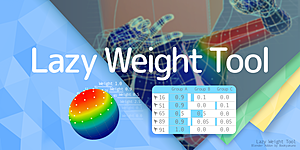
About Lazy Weight Tool
Lazy Weight Tool is a Blender add‑on designed for weight‑painting workflows. It provides a Weight Table that displays vertex weights and their assigned groups, allowing direct editing, highlighting of values (Match, More, Less) and optional vertex index display. Users can set weights using flood or fixed numeric values (1.0, 0.9, 0.75, 0.5, 0.25, 0.1, 0.0) with runtime normalization, copy and paste weights via the clipboard, and adjust weights interactively with Shift + Alt + F. Vertex selection remains fluid in weight‑paint mode, offering loop, shortest‑path, select‑more, select‑less, multi‑loop, edge‑loop and link selections similar to mesh editing. Additional UI elements include a Weight Transfer menu, a mini brush settings menu, and a three‑column vertex‑group panel with regex support. The add‑on is compatible with Blender versions 2.79 through 5.1.
Features
- Weight Table that displays and edits vertex weights and assigned vertex groups, highlights a specified value by Match, More, or Less, and can show vertex index on the mesh
- Set Weight and Flood weight for the current brush settings or fixed numbers (1.0, 0.9, 0.75, 0.5, 0.25, 0.1, 0.0), normalizing all at runtime
- Weight Copy/Paste that copies the weights of selected vertices to the clipboard and pastes them into another mesh or object
- Adjust Weight Gesture to set weight by moving the mouse (Shift + Alt + F)
- Selection in weight paint mode with loop and shortest path selection by clicking as in mesh editing, plus select more, select less, edge loop, multi loop, and select link
- Weight Transfer menu with a default weight function as a button and a mini brush setting menu
- 3-column vertex group panel with regular expressions
Best for
Blender artists who need table‑based weight editing, numeric weight assignment, weight copying between objects, and advanced vertex selection while staying in weight‑paint mode.
Frequently asked questions
Which Blender versions does Lazy Weight Tool support?
Lazy Weight Tool supports Blender versions 2.79 up to 5.1.
Is Lazy Weight Tool free, and what license is it under?
The add‑on is listed as free and is released under the GPL license; check the developer’s page for the current terms.
How do I copy weights between objects with Lazy Weight Tool?
Use the Weight Copy/Paste feature: copy the weights of selected vertices to the clipboard, then paste them onto another mesh or object.
How does vertex selection work in weight paint mode with Lazy Weight Tool?
Vertex selection works in weight‑paint mode with loop and shortest‑path selection by clicking, plus select‑more (Ctrl + Numpad +), select‑less (Ctrl + Numpad -), multi‑loop, edge‑loop (Alt + double‑click), and select‑link (L).
Related plugins
Explore Lazy Weight Tool
View download and installation options.