
Loft Curves is a free Blender add-on for version 4.5 and newer that creates surfaces from two or more profile curves using guide and sweep curves, with live editing via a Geometry Nodes‑based modifier.
Developed by Mark Kingsnorth.
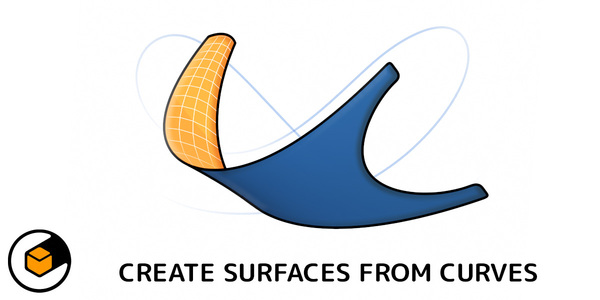
About Loft Curves
Loft Curves is a Blender add‑on designed for Blender 4.5 and later. It builds a surface from two or more profile curves, driven by guide curves and an optional sweep curve, by wrapping a Geometry Nodes core inside a modifier. The tool supports both open (non‑cyclic) and closed (cyclic) curves, updating the loft in real time as you edit profiles and guides. Generated geometry behaves like any other Blender object, providing UV maps and allowing additional modifiers such as Solidify or Subdivide, as well as sculpting or further geometry editing. One‑click presets cover common configurations like Loft Patch, Loft Circular and Loft Sweep, and the add‑on automatically organizes profiles, guides and sweep curves into collections with built‑in UI tooltips. It is aimed at modelers, concept artists and technical artists working on product shells, hulls, wings, footwear lasts, architectural elements and hard‑surface or sci‑fi panels.
Features
- Builds a surface from two or more profile curves through a modifier that wraps a Geometry Nodes core
- Guide curves snapped to profiles and a separate sweep curve to control and deform the surface
- Live editing: adjust profiles and guides in Edit Mode and see the loft update in real time
- Works with both cyclic (closed) and non-cyclic (open) curves
- One-click presets for common setups, including Loft Patch, Loft Circular, and Loft Sweep
- Blender-native output with UV maps, ready for further modifiers like Solidify or Subdivide, sculpting, and geometry editing
- Automatically manages profiles, guides, and sweep curves in collections, with built-in tooltips in the UI
Best for
Modelers, concept artists, and technical artists who need to shape product shells, hulls, wings, footwear lasts, architectural elements, or hard‑surface and sci‑fi panels using curve‑driven lofting.
Frequently asked questions
Does Loft Curves work with Blender 4.5?
Yes. Loft Curves is built for Blender 4.5 and any later version, integrating fully with the native Blender workflow.
Can I add other modifiers to a Loft Curves surface?
Yes. The lofted surface is a native Blender object, so you can stack standard modifiers such as Solidify, Subdivide, or any other modifier after the Loft Curves modifier.
Does Loft Curves support open and closed curves?
Yes. The add‑on works with both cyclic (closed) and non‑cyclic (open) curves, allowing flexible profile setups.
How is Loft Curves different from Curves to Mesh?
Loft Curves focuses on live lofting between multiple curves using guide and sweep curves within a Geometry Nodes modifier, whereas Curves to Mesh generates mesh patches from split curve segments without the same live editing capabilities.
Is Loft Curves free?
The catalog lists Loft Curves as free; however, licensing terms may change, so verify the current terms on the developer’s page before downloading.
Related plugins
Explore Loft Curves
View download and installation options.