
N Panel Sub Tabs is a free Blender add‑on that organizes the right‑hand sidebar (N Panel) by grouping tabs into user‑defined Sub Tabs, with options for multi‑tab display, workflow‑specific settings, and hiding unassigned tabs.
Developed by Soyoyo.
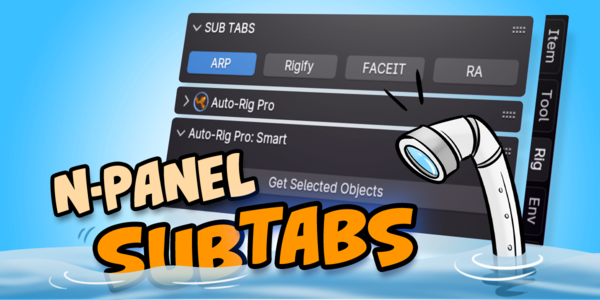
About N Panel Sub Tabs
N Panel Sub Tabs enhances Blender’s N Panel by allowing users to create Sub Tabs that group related tabs into categories, such as rigging or materials. Tabs can belong to multiple categories but appear in the last enabled one. Holding Shift enables multiple tabs in a single category simultaneously. Since version 2.0, the add‑on supports separate configurations for different workflows or workspaces, which can be switched manually or selected automatically via matching expressions. The Hide Left Tabs option conceals tabs that are not assigned to any category, while an exception list preserves specific tabs. Settings include category management, tab ordering, and preferences for maximum tabs per row and auto‑apply on startup.
Features
- Groups N Panel tabs into Sub Tabs and categories for an organized sidebar
- Sub Tabs Panel (Title Panel) for quickly switching between tabs
- Shift-hold to enable multiple tabs in one category at once (from version 1.1.0)
- Separate settings for different workflows or workspaces with manual or automatic matching (from version 2.0)
- Hide Left Tabs option with an exception list for tabs kept outside categories
- Category and tab management: add, remove, rename, reorder, and fold or unfold
- Preferences for Max Tabs Each Row and Auto Apply On Startup
Best for
Blender users who need to declutter a crowded N Panel sidebar by grouping tabs, displaying several panels at once, and maintaining workflow‑specific tab arrangements.
Frequently asked questions
Can N Panel Sub Tabs show several tabs at the same time?
Yes. Holding the Shift key while a Sub Tab is active enables multiple tabs within that category to be displayed simultaneously, a feature introduced in version 1.1.0.
Can N Panel Sub Tabs use different settings for different workflows?
Yes. From version 2.0 onward, the add‑on allows separate settings for different workflows or workspaces, which can be switched manually or selected automatically using a matching expression.
How does the Hide Left Tabs option work in N Panel Sub Tabs?
The Hide Left Tabs option, added in version 2.0, conceals any tabs that are not placed in a category. Tabs listed in the exception list remain visible even when the option is enabled.
Is N Panel Sub Tabs free to use?
The add‑on is listed as free. Licensing terms and any usage conditions are defined by the developer and should be reviewed on the developer’s page.
Related plugins
Explore N Panel Sub Tabs
View download and installation options.