
Source Engine Collision Tools is a free Blender addon for generating and optimizing collision models for Source Engine games such as TF2, Garry’s Mod, and Left 4 Dead 2. It integrates with Blender Source Tools and works with Blender 4.2 LTS and newer.
Download Source Engine Collision Tools ↗
Developed by Theanine3D.
About Source Engine Collision Tools
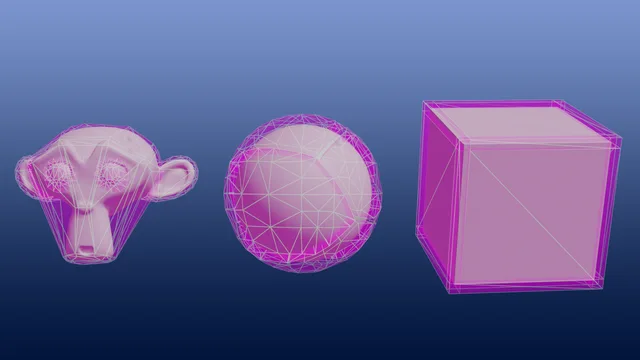
Source Engine Collision Tools is a Blender addon that creates and refines collision hulls used by Source Engine titles, including Team Fortress 2, Garry’s Mod and Left 4 Dead 2. The UI appears in the Object Properties panel. It offers multiple generation methods—bisection, face‑based, weight‑based, UV‑island, and Cell Fracture—each with a Decimate Ratio setting and a Recommended Settings button. Hull‑cleanup tools can merge similar hulls, remove thin or buried hulls, and enforce convexity. The addon can split large collision meshes into groups of up to 32 hulls, generate QC and ragdoll QCI files, export hulls as Hammer .VMF brush solids, and update or clean existing VMF files. It is released under the GPL v3 license and requires Blender 4.2 LTS or later.
Features
- Multiple collision generators: via Bisection (dividing the model into sections), from Faces, from rigged Weights (usable for Garry’s Mod ragdoll physics meshes), via UV Map (each UV island becomes a separate hull), and via Fracture using Blender’s built-in Cell Fracture addon
- All Generate features support a Decimate Ratio setting to automatically reduce the complexity of the resulting collision model, plus a Recommended Settings button that guesses settings from the active object
- Hull cleanup tools: Merge Adjacent Similars (based on face count and volume), Remove/Merge/Select Thin Hulls, Find/Remove Inside Hulls, and Force Convex
- Split Up Collision Mesh into separate objects, with each part holding no more than 32 hulls (the limit can be customized)
- Generate Source Engine QC files for compiling with batch tools such as Crowbar, with a QC Override system for custom commands like $scale or $surfaceprop, plus Ragdoll QCI generation with $collisionjoint lines built from your armature’s bones
- VMF tools: export hulls to Hammer .VMF as brush solids, Update VMF with split-up collision models, and Clean Duplicate Collision entries (phys_part)
Best for
Blender artists who need to produce collision models for Source Engine games, especially when using Blender Source Tools for a full export workflow.
Frequently asked questions
Does Source Engine Collision Tools work with Blender 4.2?
Yes. The addon is compatible with Blender 4.2 LTS and any later release; earlier Blender versions are not supported.
Do I need the Cell Fracture addon for Source Engine Collision Tools?
The Cell Fracture generator relies on Blender’s built‑in Cell Fracture addon, so that addon must be enabled in Blender preferences to use that specific method.
Is Source Engine Collision Tools free to use?
The addon is listed as free and is distributed under the GNU GPL v3 (or later), allowing use and modification at no cost.
How does Source Engine Collision Tools create ragdoll collision meshes?
Ragdoll collision meshes are generated from rigged weights, creating hulls per weight group, and a QCI file with $collisionjoint lines is produced from the armature bones.
Where is the Source Engine Collision Tools UI in Blender?
The UI is located in the Object Properties tab on the right side of Blender’s interface and becomes active when an object is selected.
Related plugins
Explore Source Engine Collision Tools
View download and installation options.