
QLE (Quick Lighting Environment) is a free Blender add‑on that creates a basic lighting rig—World, four area lights, a tracking empty, and a backdrop—from a single panel under Properties → Scene.
Download QLE (Quick Lighting Environment) ↗
Developed by don1138.
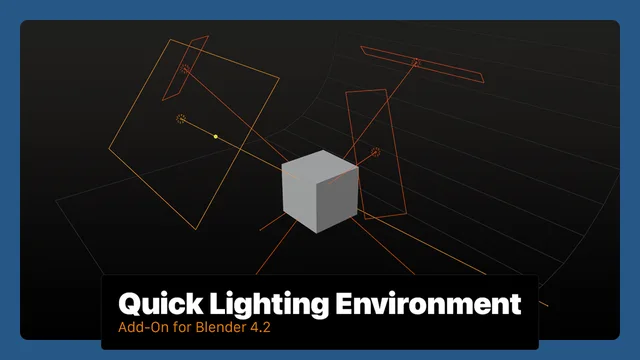
About QLE (Quick Lighting Environment)
QLE (Quick Lighting Environment) is a free Blender add‑on from developer don1138. After installation it adds a panel called Quick Lighting Environment under Properties → Scene with two buttons: Add Environment and Clear Environment. Add Environment creates a World named “QLE World” (strength 0.25, Blackbody 5454), four area lights with preset colour temperatures, an Empty named Lights_Target that each light tracks, and a mesh Backdrop. If any of these objects or constraints are missing, clicking Add Environment restores them. Clear Environment removes the QLE lights, Empty, Backdrop, and resets the World to its original state. The add‑on requires an active World in the scene and runs on Blender 4.2 LTS and newer. It is released under the GNU GPL v3.0 or later.
Features
- Add Environment creates a World named “QLE World” with strength set to 0.25 and a Blackbody value of 5454
- Places four positioned Area Lights: Left at Blackbody 3800 (orange tint), Fill and Back at 5454 (equal energy), and Right at 20,000 (blue tint)
- Adds an Empty named Lights_Target and connects all lights to it with Track To Object constraints
- Adds a mesh object named Backdrop
- Clicking Add Environment re-inserts any deleted or disconnected light, Backdrop, Empty, or constraint
- Clear Environment purges the QLE lights, Backdrop, and Empty, and resets the World back to the original
- Runs from a panel named Quick Lighting Environment under Properties > Scene
Best for
Blender artists who need a fast, repeatable lighting and backdrop setup without manual object placement.
Frequently asked questions
Does QLE work with Blender 4.2?
Yes. QLE is compatible with Blender 4.2 LTS and any newer release, so it runs on version 4.2 and later.
How do I install QLE in Blender?
Download the add‑on ZIP from the developer’s releases page, then install it via Edit → Preferences → Add‑ons → Install, or drag‑and‑drop the ZIP onto Blender. Enable the add‑on to see the Quick Lighting Environment panel.
Why does QLE error out when I click Add Environment?
The add‑on requires an active World in the scene. Without a World, clicking Add Environment triggers an error; adding a World first resolves the issue.
How do I remove the QLE lighting setup from my scene?
Use the Clear Environment button in the Quick Lighting Environment panel. It deletes the QLE lights, Empty, Backdrop, and restores the original World.
Related plugins
Explore QLE (Quick Lighting Environment)
View download and installation options.