
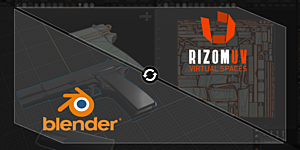
RizomUV Bridge is a free Blender add-on that transfers objects and UV maps between Blender and RizomUV via a button-driven UI, keeping the original geometry untouched and returning only UV data.
Download Rizomuv Bridge – Blender 2.8+ (Windows & Macos) ↗
Developed by Matt Ashpole.
About Rizomuv Bridge – Blender 2.8+ (Windows & Macos)
RizomUV Bridge, developed by Matt Ashpole, is a GPL‑licensed Blender add‑on that moves objects and UV maps between Blender and RizomUV using a simple button interface. It supports both export and import, preserving the original objects while only bringing UV information back into Blender. The add‑on handles multiple UV sets and works with FBX, OBJ, and USD formats; when using USD it can also retain RizomUV attributes such as pins and groups. User preferences allow exclusion of linked instances from export and optional marking of UV boundaries as sharp on import. Separate versions are provided for specific Blender (2.8‑5.0) and RizomUV combinations; only one version should be enabled at a time to avoid conflicts.
Features
- Export and import objects between Blender and RizomUV in both directions
- Original objects stay untouched, with only UV data transferred back to Blender
- Support for multiple UV sets
- Works with FBX, OBJ and USD formats
- Saves Rizom attributes such as pins and groups when using USD
- User-controlled preferences to exclude linked instances from export or mark UV boundaries as sharp on import
Best for
Blender artists who unwrap models in RizomUV and need a reliable way to exchange geometry and UV data without altering the original meshes.
Frequently asked questions
Which Blender versions does RizomUV Bridge support?
RizomUV Bridge supports Blender versions from 2.8 through 5.0; each release of the add‑on is labeled for a specific Blender version and should match the user’s installed version.
What file formats does RizomUV Bridge use to transfer data?
The add‑on transfers data using FBX, OBJ, and USD formats; USD export also preserves RizomUV attributes like pins and groups.
Can I enable multiple versions of RizomUV Bridge at the same time?
Only one version of RizomUV Bridge should be installed and enabled at a time; installing multiple versions simultaneously can cause problems.
Is RizomUV Bridge free, and what license does it use?
RizomUV Bridge is listed as free in the catalog and is distributed under the GPL license; users should verify current pricing and licensing on the developer’s page.
Related plugins
Explore Rizomuv Bridge – Blender 2.8+ (Windows & Macos)
View download and installation options.