
Drag and Drop Support is a free Blender add‑on that enhances drag‑and‑drop importing and adds many file formats, routing dropped files to the appropriate importer.
Download Drag and Drop Support ↗
Developed by Natsune-Mochizuki.
About Drag and Drop Support
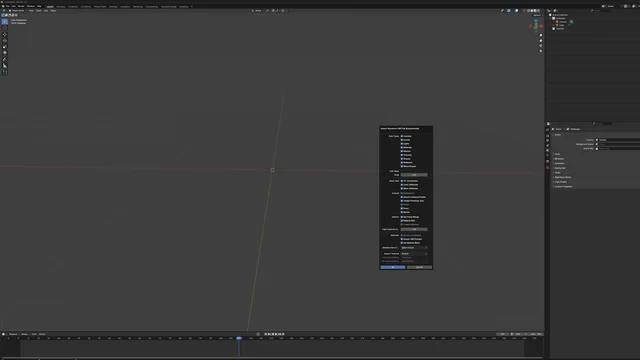
Drag and Drop Support extends Blender’s built‑in drag‑and‑drop import system and adds handling for a wide range of model and scene formats. When a file is dropped onto Blender, the add‑on selects the correct importer. Supported formats include 3mf, abc, bvh, dae, fbx, glb, gltf, obj, ply, pmx, stl, svg, usd, usda, usdc, vrm, x3d and wrl. Some formats rely on companion add‑ons: 3mf requires Blender 3MF Format, pmx requires MMD Tools, vrm requires the VRM Add‑on, and x3d requires Web3D X3D/VRML2 on Blender versions above 4.4. The dae format is unavailable in Blender 5.0 and later because Collada was removed. Version 1.3.0 adds detection of third‑party FileHandler add‑ons to avoid conflicts. The add‑on requests a single Files permission to import models and is compatible with Blender 4.2 LTS and newer. It is released under the GNU GPL v3.0 or later and has been downloaded over 44,000 times.
Features
- Drag-and-drop importing across formats including fbx, obj, glb, gltf, stl, ply, usd, svg, abc, bvh and wrl
- dae import not supported in Blender 5.0 and later due to Collada removal
- Optional format support through companion add-ons: 3mf (Blender 3MF Format), pmx (MMD Tools), vrm (VRM Add-on for Blender)
- x3d import via Web3D X3D/VRML2 on Blender versions above 4.4
- Detection of third-party add-on FileHandlers to prevent conflicts (version 1.3.0)
- Single Files permission used to import models from disk
Best for
Blender users who frequently drag external model files into the viewport and need broad format coverage, including fbx, obj, glb, usd, stl, vrm and others.
Frequently asked questions
Which file formats does Drag and Drop Support handle?
Drag and Drop Support handles 3mf, abc, bvh, dae, fbx, glb, gltf, obj, ply, pmx, stl, svg, usd, usda, usdc, vrm, x3d and wrl. Some require companion add‑ons (3mf, pmx, vrm, x3d).
Does Drag and Drop Support work with Blender 4.2?
Yes. The add‑on is compatible with Blender 4.2 LTS and newer versions.
Does Drag and Drop Support import dae files in Blender 5.0?
No. dae files cannot be imported in Blender 5.0 or later because Collada support was removed from Blender.
What does Drag and Drop Support need to import 3mf, pmx or vrm files?
Importing 3mf files needs the Blender 3MF Format add‑on, pmx files need MMD Tools, and vrm files need the VRM Add‑on for Blender. x3d requires Web3D X3D/VRML2 on Blender versions above 4.4. Other formats such as fbx, obj, glb, gltf, stl, ply and usd work without extra add‑ons.
What license is Drag and Drop Support released under?
The add‑on is released under the GNU General Public License version 3.0 or later.
Related plugins
Explore Drag and Drop Support
View download and installation options.