
Trimflow is a free Blender add‑on that lets you draw curves on a mesh to place repeating trim decals such as ornaments or stitches. The decals can be adjusted, copied, swapped, blended with materials, or baked into masks for use inside or outside Blender.
Developed by Shape-Shift.
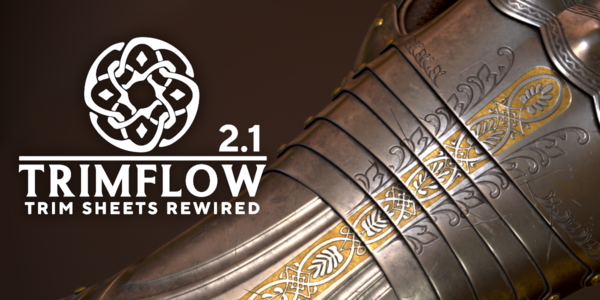
About Trimflow
Trimflow is a Blender add‑on from Shape‑Shift that creates non‑destructive repeating patterns by converting drawn curves into trim decals. The add‑on supports Blender versions 3.5 through 5.2; version 2.2 adds compatibility with Blender 5.2 and redirects older builds to prior releases. Decals can be blended with the target object’s material via a shader setup for immediate rendering inside Blender, or baked into masks that export to external texturing tools such as Substance 3D and Marmoset Toolbag. Optional head and tail pieces allow seamless tiling sections, and the system works with any conventional trim textures or third‑party asset packs. Example trim sheets, documentation, and a YouTube tutorial playlist are included to help users create custom patterns.
Features
- Draw a curve onto a mesh surface to turn trim textures into decals that can be adjusted, copied, or swapped
- Integrated baking tool converts trim decals into masks for material creation in Blender, Substance 3D, or Marmoset Toolbag
- Decals can be blended with the target object’s material via a shader setup, for rendering inside Blender without baking
- Optional Head and Tail trim pieces with a seamless, tiling section between them
- Works with conventional trims from existing libraries or third-party asset packs, which can be adjusted to support Head and Tail
- Includes the Sami Knife and Shoe examples with their trim sheets and textures, plus online documentation and a YouTube tutorial playlist
Best for
Blender artists who need to apply ornamental or stitched repeating patterns non‑destructively and optionally bake those patterns into masks for further material work inside Blender or other texturing applications.
Frequently asked questions
What Blender versions does Trimflow support?
Trimflow supports Blender versions 3.5 through 5.2; version 2.2 adds explicit support for Blender 5.2, and users of earlier versions should use Trimflow 2.1.3 or another compatible release.
Can Trimflow’s masks be used outside Blender?
Yes. The integrated baking tool creates masks from trim decals that can be exported and used for material creation in external applications such as Substance 3D and Marmoset Toolbag.
Can I use my own trim textures with Trimflow?
You can use any trim textures from your own libraries or third‑party packs. The add‑on also supports adjusting those textures to include optional head and tail pieces for seamless tiling.
Can Trimflow render inside Blender without baking?
Trimflow allows decals to be blended with the object’s material through a built‑in shader, enabling rendering inside Blender without baking. The same decals can also be baked into masks when needed.
Is Trimflow free, and what license does it use?
Trimflow is listed as free and is distributed under the GPL license. Licensing terms may change, so checking the developer’s current information is recommended.
Related plugins
Explore Trimflow
View download and installation options.