
Turbo Tools V4 is a free Blender addon that combines Turbo Render, Temporal Stabilizer, and Turbo Comp to enable low‑sample Cycles rendering with maintained quality and flicker‑free animations.
Download Turbo Tools V4 – Turbo Render, Temporal Stabilizer, & Turbo Comp ↗
Developed by 3d illusions.
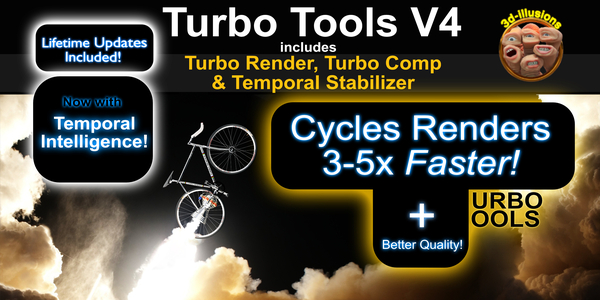
About Turbo Tools V4 – Turbo Render, Temporal Stabilizer, & Turbo Comp
Turbo Tools V4 is a Blender addon that bundles three functions: Turbo Render, Temporal Stabilizer, and Turbo Comp. Turbo Render works with both CPU and GPU Cycles rendering, preserving image quality at low sample counts and integrating with existing compositor trees without rewiring. The Temporal Stabilizer applies per‑pass temporal stabilization, removing denoising flicker from animations, and version 4 adds Temporal Intelligence and a 700% faster split‑channel stabilizer. Turbo Comp provides a full compositor suite with real‑time playback, branch caching, file‑output node resaving without re‑rendering, automatic node creation, and support for publishing multiple compositions. The addon supports Blender versions 2.93 through 4.5.4 and runs on any hardware or operating system that Blender supports. It is not compatible with Blender 5, for which a separate release, Turbo Tools X, is available. Updates and support are planned through at least 2027, coinciding with the retirement of Blender 4.5.4 LTS.
Features
- Turbo Render for CPU and GPU Cycles, retaining image quality at low samples
- Render setting presets that configure the setup based on the quality and speed you choose
- Works with existing compositor trees without any rewiring
- Temporal Stabilizer with per-pass temporal stabilization to remove denoising flicker from animations
- Temporal Intelligence and 700% faster split channel stabilisation added in version 4
- Turbo Comp compositor suite with real-time playback, branch caching, resaving of file output nodes without re-rendering, automatic file output node creation, and multi-composition publishing
- Compatible with all hardware and operating systems supported by Blender
Best for
Blender artists using Cycles who need efficient low‑sample rendering and want to eliminate denoising flicker in animated sequences.
Frequently asked questions
Does Turbo Tools V4 work with Blender 5?
Turbo Tools V4 supports Blender 2.93 through 4.5.4 and is not compatible with Blender 5; users of Blender 5 should use the separate Turbo Tools X release.
Does Turbo Tools V4 need a particular GPU or operating system?
Turbo Tools V4 works with any hardware or operating system that Blender supports and is not limited to a specific GPU vendor or OS.
Does Turbo Tools V4 require a specific render layer cache folder path?
Turbo Tools V4 requires an absolute path for its render‑layer cache folder (e.g., “c://something/something/”), not a relative path.
Is Turbo Tools V4 free?
The catalog lists Turbo Tools V4 as free, but licensing terms may change, so users should verify the current price on the developer’s page.
Related plugins
Explore Turbo Tools V4 – Turbo Render, Temporal Stabilizer, & Turbo Comp
View download and installation options.
Download Turbo Tools V4 – Turbo Render, Temporal Stabilizer, & Turbo Comp ↗