
AI Video Background Remover by Vakago Tools adds one‑click people masking to After Effects and Premiere Pro, using neural‑network analysis to generate a frame‑by‑frame mask and supporting GPU‑accelerated processing.
Download AI Video Background Remover ↗
Developed by Vakago Tools.
About AI Video Background Remover
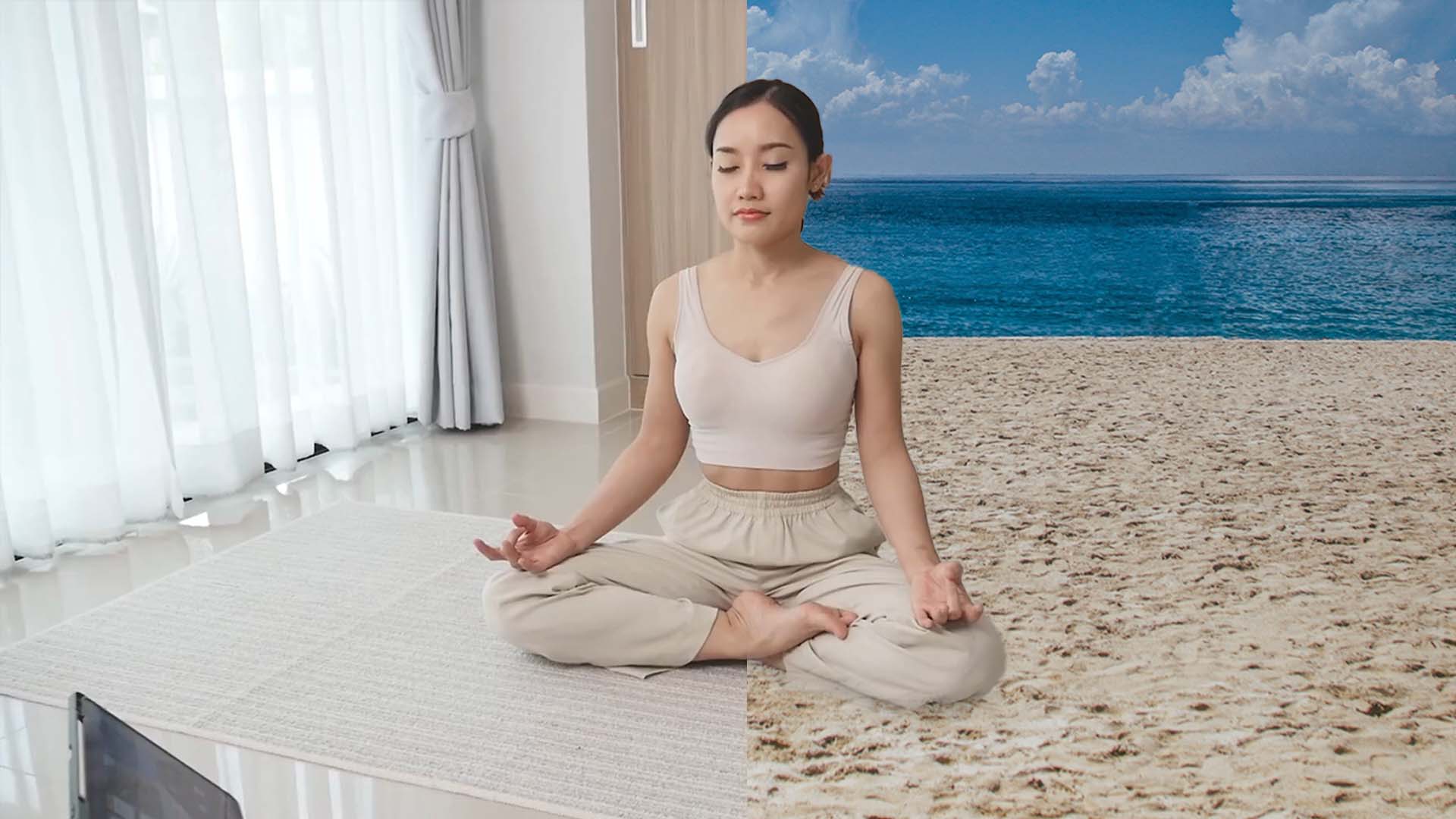
AI Video Background Remover, developed by Vakago Tools, provides single‑click background removal and people masking inside After Effects (v18.0+) and Premiere Pro (v15.0+). The extension analyzes footage with artificial neural networks, creates a mask for each frame, and applies edge smoothing and temporal blending for smoother results. Version 1.4.7 adds higher mask quality and uses both GPU and available CPU cores for performance. In After Effects, two exclusive options are available: a keyframe‑distance setting that renders every n‑th frame while generating intermediate mask points, and a mask‑creation threshold to avoid multiple small masks for background subjects. The masks can be used to crop people, blur or replace backgrounds, brighten faces, darken scenes, or build tutorials and picture‑in‑picture videos.
Features
- One-click background removal and people masking
- Locates people using artificial neural networks and creates a mask for each frame
- Edge smoothing and temporal blending for smoother masks in Premiere Pro and After Effects
- Uses the GPU and available CPU cores simultaneously
- Keyframe distance: render every n-th frame with mask points generated in between (After Effects only)
- Mask creation threshold to avoid multiple small masks for people in the background (After Effects only)
Best for
Cropping people from footage, blurring or replacing backgrounds, enhancing facial visibility, and creating tutorial or picture‑in‑picture video content.
Frequently asked questions
Does AI Video Background Remover work with Premiere Pro 15.0 and After Effects 18.0?
Yes. AI Video Background Remover supports Premiere Pro version 15.0 and later, and After Effects version 18.0 and later, providing one‑click background removal and people masking in both hosts.
Which features are only in the After Effects version of AI Video Background Remover?
The After Effects‑only options are the keyframe‑distance setting, which renders every n‑th frame while generating mask points between, and a mask‑creation threshold that prevents multiple small masks for background subjects.
Does AI Video Background Remover use the GPU?
The extension utilizes the GPU together with available CPU cores to improve processing speed, a capability introduced in version 1.4.7.
Is AI Video Background Remover free?
The catalog lists AI Video Background Remover as free; licensing details may change, so the developer’s site should be consulted for the latest terms.
Related plugins
Explore AI Video Background Remover
View download and installation options.