
Bevelled Extrude is a free Blender add‑on by Mark Kingsnorth that creates extrusion effects with configurable bevels on the base, corners and tops, supporting interactive mouse control and edge‑weight mode for non‑destructive workflow.
Developed by Mark Kingsnorth.
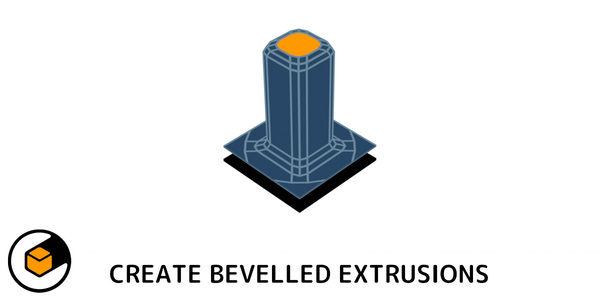
About Bevelled Extrude
Bevelled Extrude is a Blender add‑on from Mark Kingsnorth that adds configurable bevels to the base, corners and tops of extrusions, useful for smooth recesses or protrusions. Version 1.53, updated July 2026, supports Blender 3.0 and later and includes an interactive mode where the extrusion can be moved with the mouse. Keyboard shortcuts on the top row adjust top (Q/A), corner (W/S), and base (E/D) bevels, taper (R/F), mode switching (T) and smoothing (G). The mouse wheel changes segment count or bevel weights in Edge Weight Mode, which sets bevel weights for use with Blender’s Bevel Modifier, preserving geometry. Access is via the comma key or the Mesh > Extrusion submenu (Alt‑E). The add‑on can extrude individual faces as well as groups. A demo video is provided by the developer.
Features
- Configurable bevel effects on the base, corners and tops of an extrusion
- Edge Weight Mode changes the bevel weight of edges for use with the Bevel Modifier, making the operation less destructive
- Interactive mode lets you move the extrusion in or out with the mouse
- Keyboard shortcuts for top, corner and base bevel amounts, taper, mode switching and smoothing
- Mouse wheel adjusts the number of segments, or bevel weights on edges and corners in Weight mode
- Option to extrude individual faces rather than a group of faces
- Accessible via the comma shortcut and the Mesh > Extrusion sub-menu (Alt-E)
Best for
Blender modelers who need precise, bevelled extrusions for smooth recesses or protrusions with interactive control.
Frequently asked questions
Does Bevelled Extrude work with Blender 3.0 and later?
Yes. Version 1.53 updates the add‑on for Blender 3.0 and later, removing the optional manual mode and adjusting menu access accordingly.
How do I access Bevelled Extrude inside Blender?
The add‑on is activated with the comma key shortcut and also appears in the Mesh > Extrusion submenu, which opens with Alt‑E.
What keyboard shortcuts does Bevelled Extrude use in interactive mode?
Interactive mode uses top‑row shortcuts: Q/A for top bevel, W/S for corner bevel, E/D for base bevel, R/F for taper, T to switch between Amount and Weight mode, and G to toggle smoothing. The mouse wheel adjusts segment count or bevel weights.
What does Edge Weight Mode do in Bevelled Extrude?
Edge Weight Mode changes the bevel weight of edges instead of applying a bevel directly, allowing those weights to be used with Blender’s Bevel Modifier for a less destructive workflow.
Is Bevelled Extrude free?
The catalog lists Bevelled Extrude as free. Licensing terms may change, so consult the developer’s page for the current status.
Related plugins
Explore Bevelled Extrude
View download and installation options.