
Shape Generator is a free Blender add‑on by Mark Kingsnorth that creates diverse 3D objects through randomized extrusions. Users can adjust length, scale, rotation, mirroring and modifiers, then edit or sculpt the results as base meshes or inspiration for assets.
Developed by Mark Kingsnorth.
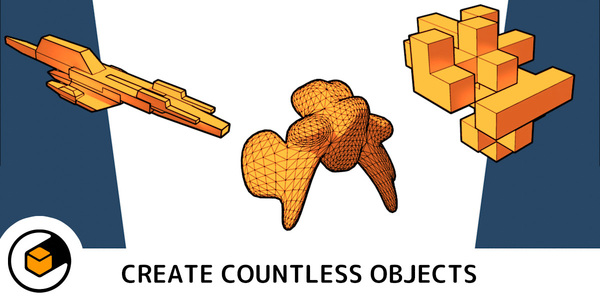
About Shape Generator
Shape Generator is a Blender add‑on from Mark Kingsnorth that rapidly creates a wide range of unique 3D objects. Shapes are generated by selecting a random seed and then varying extrusion length, scale and rotation. Users can mirror shapes on X, Y and Z axes, apply optional subdivision surface and bevel modifiers, and prevent face overlap. The add‑on includes controls for flatter shapes, multiple‑object creation, and a Design Theory hierarchy (Big, Medium, Small). Version 1.7.8 adds an Integrated Panel for revisiting parameters, an Iterator that renders a series of variations using the scene camera, and a baking feature for editing or sculpting. It remains compatible with other Blender add‑ons such as Plating Generator, Bevelled Extrude, Window Generator and DECALMachine.
Features
- Generates shapes by setting a random number, then varying the length, scale and rotation of the resulting extrusions
- Can keep the faces of a shape from overlapping, and mirror the shape in the X, Y and Z axes with a mirror modifier or leave it unmirrored
- Optional subdivision surface and bevel modifiers, with modifiers left intact for further editing
- Favours the X, Y or Z direction for flatter shapes, with scaling and rotation options to change the overall profile
- Multiple object creation at once, plus Big/Medium/Small Design Theory sub-object controls
- Integrated Panel to revisit parameters after creation, an Iterator that renders combinations using the scene camera, and baking for editing or sculpting
- Animate all shape parameters, and configure the shape in realtime without losing the parameters
Best for
Generating abstract concepts, building base meshes for spaceships and game assets, creating background details, and assembling curated object libraries for kit‑bashing.
Frequently asked questions
Does Shape Generator work with other add-ons like DECALMachine?
Yes. Shape Generator is compatible with several other Blender add‑ons, including Plating Generator, Bevelled Extrude, Window Generator and DECALMachine, and it preserves modifiers for further editing.
Is there a Houdini version of Shape Generator?
A separate Houdini version exists and is sold through Gumroad, but the catalog entry refers to the Blender add‑on only.
Can I edit a shape after generating it in Shape Generator?
Yes. The add‑on leaves all modifiers on the generated shape, and version 1.7.8 adds an Integrated Panel and baking feature that let you return to and edit the original parameters.
Is Shape Generator free to use?
The catalog lists Shape Generator as free, but licensing terms may change; users should verify the current terms on the developer’s page.
Related plugins
Explore Shape Generator
View download and installation options.